We’ve just added two new features that make working with GPS tracks in Tripline much more flexible—especially when you need to refine an existing trip instead of starting from scratch.
1. You can now insert GPS Tracks into existing trips
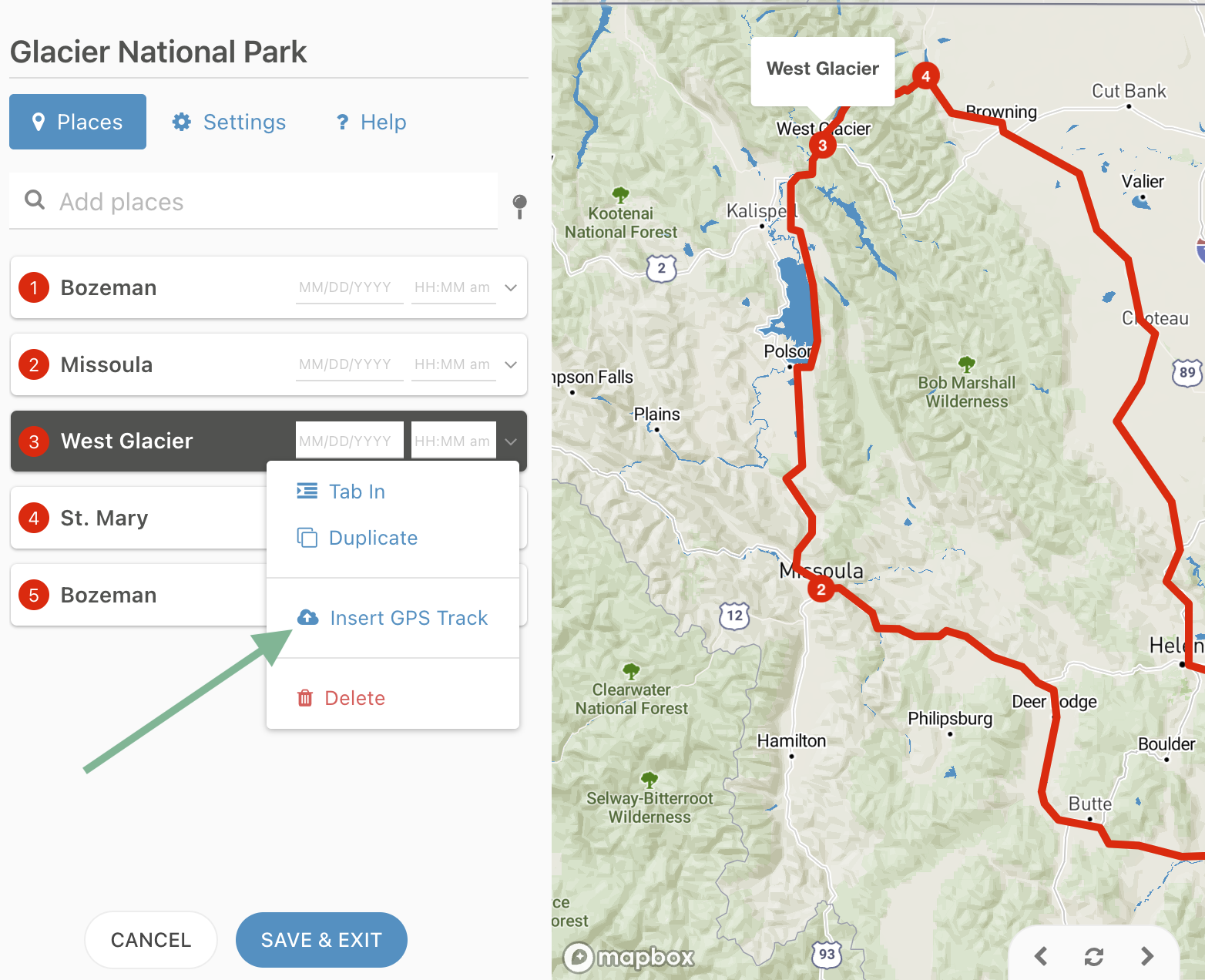
In our initial GPS release a few weeks ago, GPS imports always created a brand new trip. Now you can import a GPX or KML file directly into an existing trip while you’re editing it.
Simply choose a waypoint in the editor, click Insert GPS Track, select your options and Tripline inserts your track right into your existing timeline.
You can insert multiple GPS tracks into a single trip, and each one can be augmented with additional waypoints, stories and photos independently.
2. You can now split travel paths to add new waypoints while preserving your recorded route.
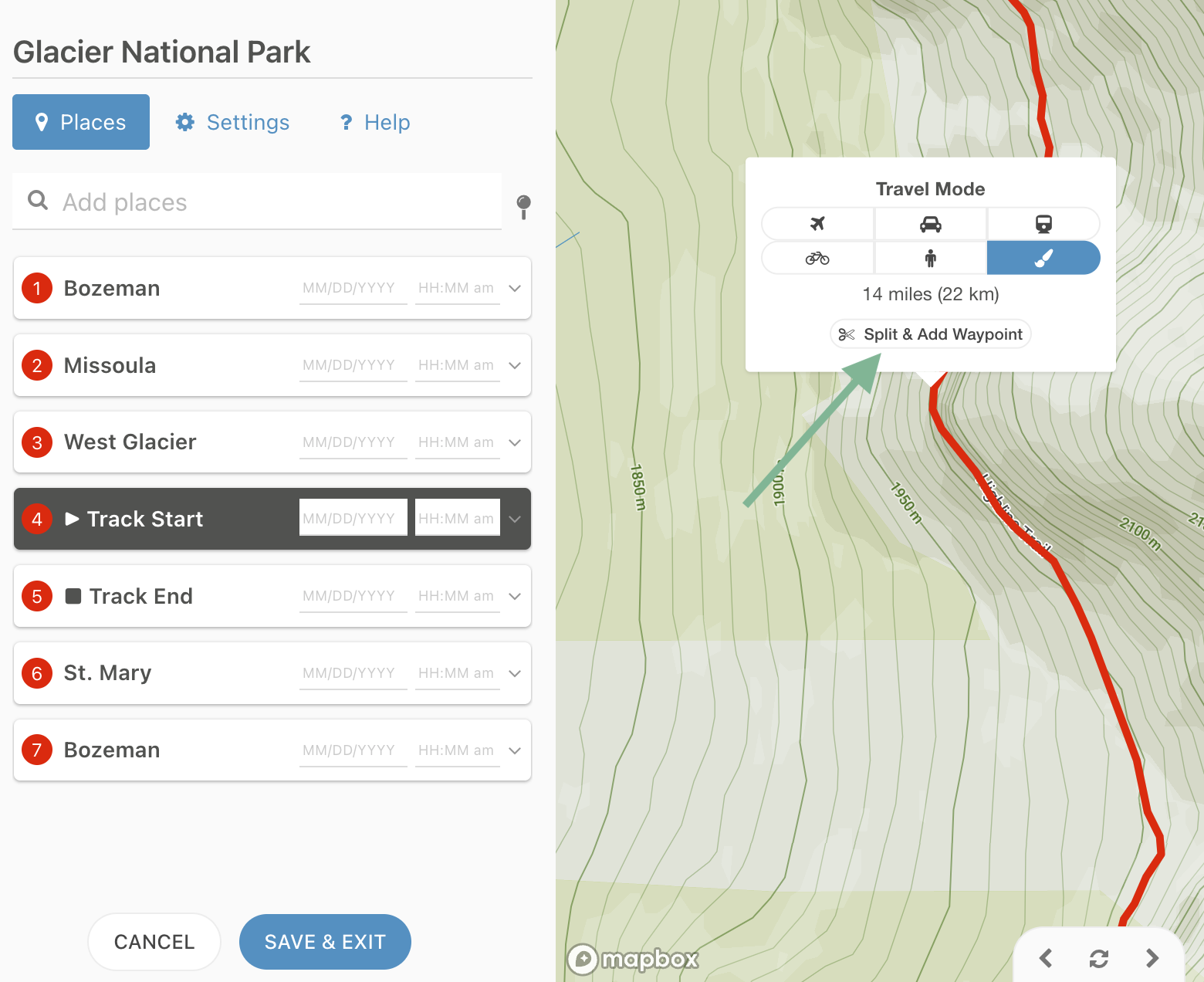
Sometimes your recorded GPS tracks don’t have all the waypoints you want. Now you can add them in Tripline. Just click anywhere along an existing path in the editor and select the Split & Add Waypoint option to automatically insert a new waypoint at that location.
Tripline preserves the recorded path by seamlessly splitting it into two connected segments—no redrawing required. And the path stays intact even if you delete an added waypoint.
This makes it easy to add vistas, campsites, restaurants, fishing spots, or any other points of interest exactly where you want them.
These new features help Tripline grow with your adventures, so you can preserve more memories and tell better stories.
Whether you’re importing a recorded hike, combining GPS data with an existing itinerary, or fine-tuning a custom route, editing is now much faster and more intuitive.
Both of these features are only available to Tripline Pro subscribers. If you don’t have a Pro account yet, Upgrade to Pro to get started.